
Built For and By Nurse Case Managers
The people running Workers’ Comp and disability files, and the firms, TPAs, and carriers behind them.
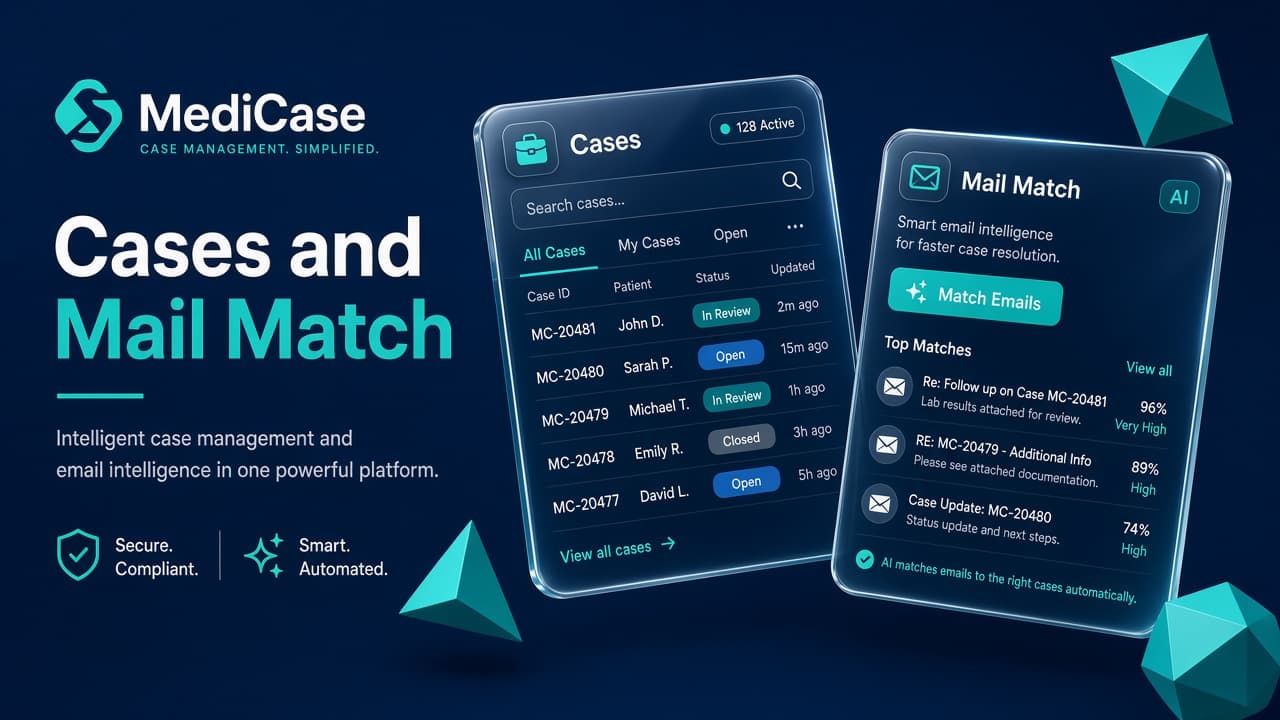
MediCase brings caseloads, documentation, tasks, communication, and billing together in one intuitive platform, helping case managers work more efficiently while giving management greater visibility and control.
You choose a plan next. Some plans create a workspace after payment. Larger plans are reviewed before a workspace is created.
The people running Workers’ Comp and disability files, and the firms, TPAs, and carriers behind them.
Incoming email and fax matched to the right case. Uncertain matches stay for a person.
Documents, billable time, and return-to-work dates stay together, so the schedule stays yours.
 HIPAA compliant
 SOC 2 ready
 BAAs are in place
Nurse case managers juggle injured workers, providers, employers, and adjusters while reports, authorizations, work restrictions, and billable hours scatter across inboxes and drives. Best-practice case management starts by naming that clutter, then putting it back on the file.
 01
01Provider callbacks, work-status checks, and adjuster asks live in sticky notes, spreadsheets, and inboxes. One missed date turns into a scramble, or a credibility hit with the claim.
 02
02Operative reports, authorizations, and employer updates land unlabeled. Someone has to hunt the claim number, guess the nurse, and hope the file stays complete.
 03
03Correspondence sits in email. Restrictions live in a PDF. Notes live somewhere else. When the carrier asks for status, you rebuild the story from scratch.
04You spent the hour coordinating care. Then the line item sits Unbilled, comes back rejected, and the reason disappears. Accuracy and reimbursement both suffer.
 05
05Work status, RTW, and MMI dates decide the next move. When they are not on the same record as the nurse’s tasks, the schedule drifts and everyone works from yesterday’s facts.
Match the mail. File the documents. Capture the time. Keep return-to-work dates where the nurse already works, so accuracy, speed, and follow-through stop competing with each other.
01Member, employer, claim, injury, and assignment sit together with tasks, notes, medications, providers, and case communication. You open one record instead of reconstructing the claim from five systems.
02MediCase suggests the matching case and can link a high-confidence email or fax to that case and its nurse. Uncertain matches stay for a person. Less sorting. More time on the injured worker.
03Attachments file to the case for review. When you need a quick read of a long report, generate a summary of what was filed, without diagnosis, claims decisions, or clinical advice.
04Log time as the work happens. Move items through Unbilled and Ready to Bill. Keep rejection reasons and resubmit cleanly. Track work status, RTW, and MMI beside the work that earned the bill.
Not vanity dashboards. These are the day-to-day wins that keep a caseload accurate, billable, and moving.
Mail, documents, and dates land on the right case, so status updates, billing lines, and work-status facts match what actually happened.
Stop re-routing faxes, rebuilding timelines, and hunting rejection reasons. The clerical loop shrinks so coordination and follow-up get the hours.
When an adjuster, employer, or supervisor asks, the file is ready: chronological, complete, and defensible, not patched together under pressure.
Tasks, return-to-work dates, and billing review sit on the same case, so follow-ups and submissions move before they become emergencies.
The four places buyers ask about first: the caseload, the inbound mail, the billing queue, and return to work.
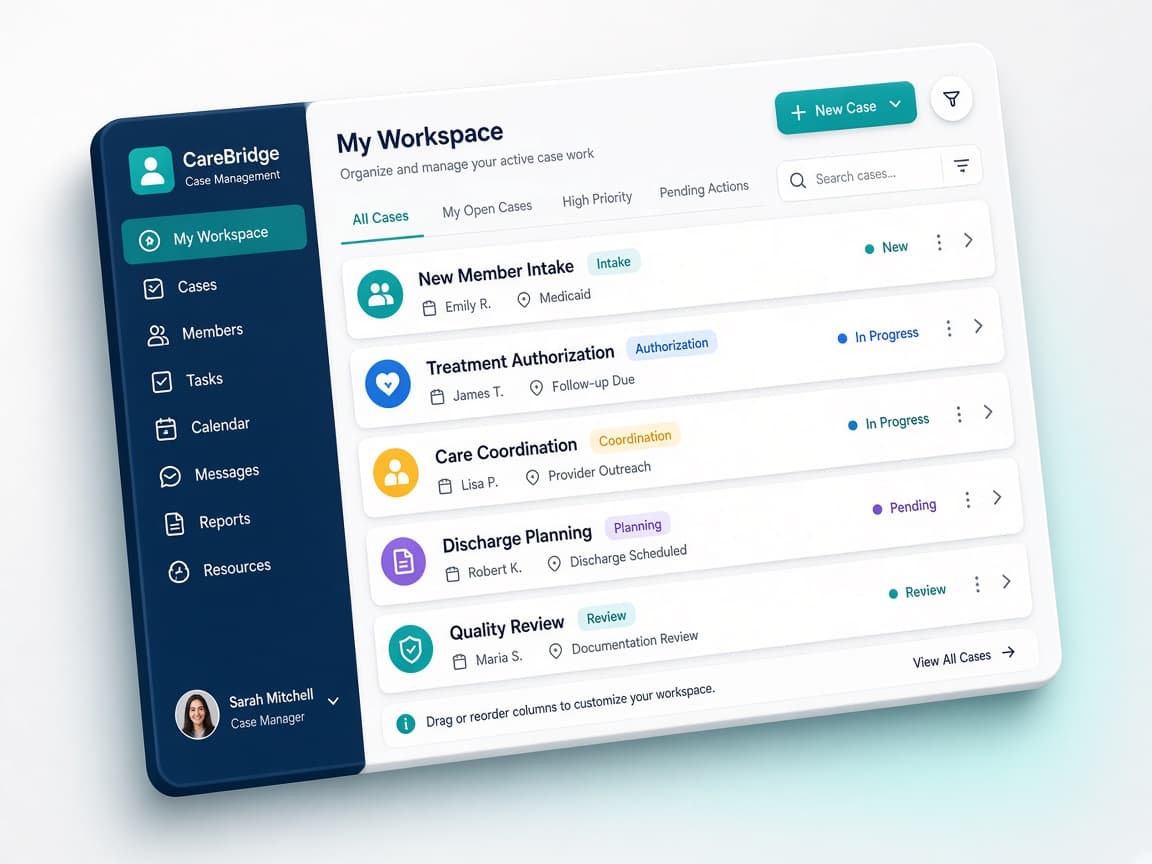
CM Workspace
See the caseload, open the file, and know what needs attention next.
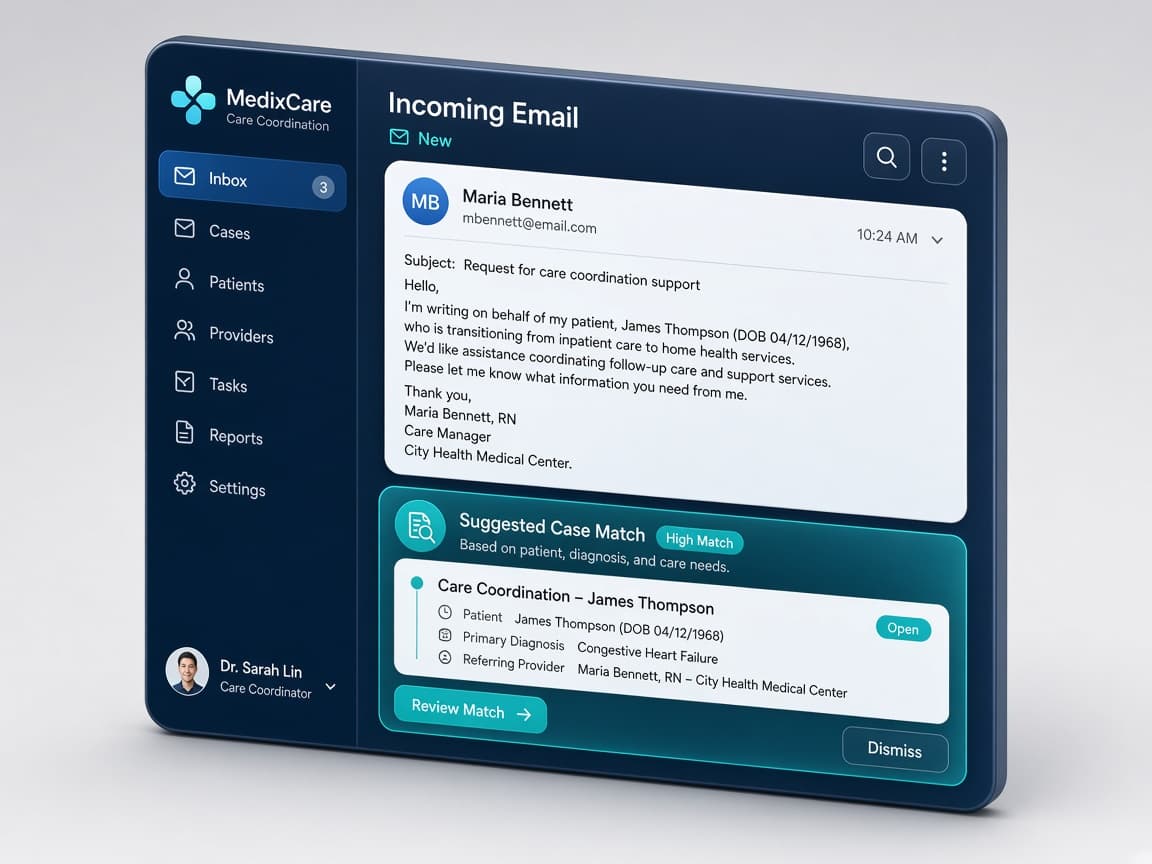
Mail match
Incoming email or fax with a suggested case, linked when confidence is high.
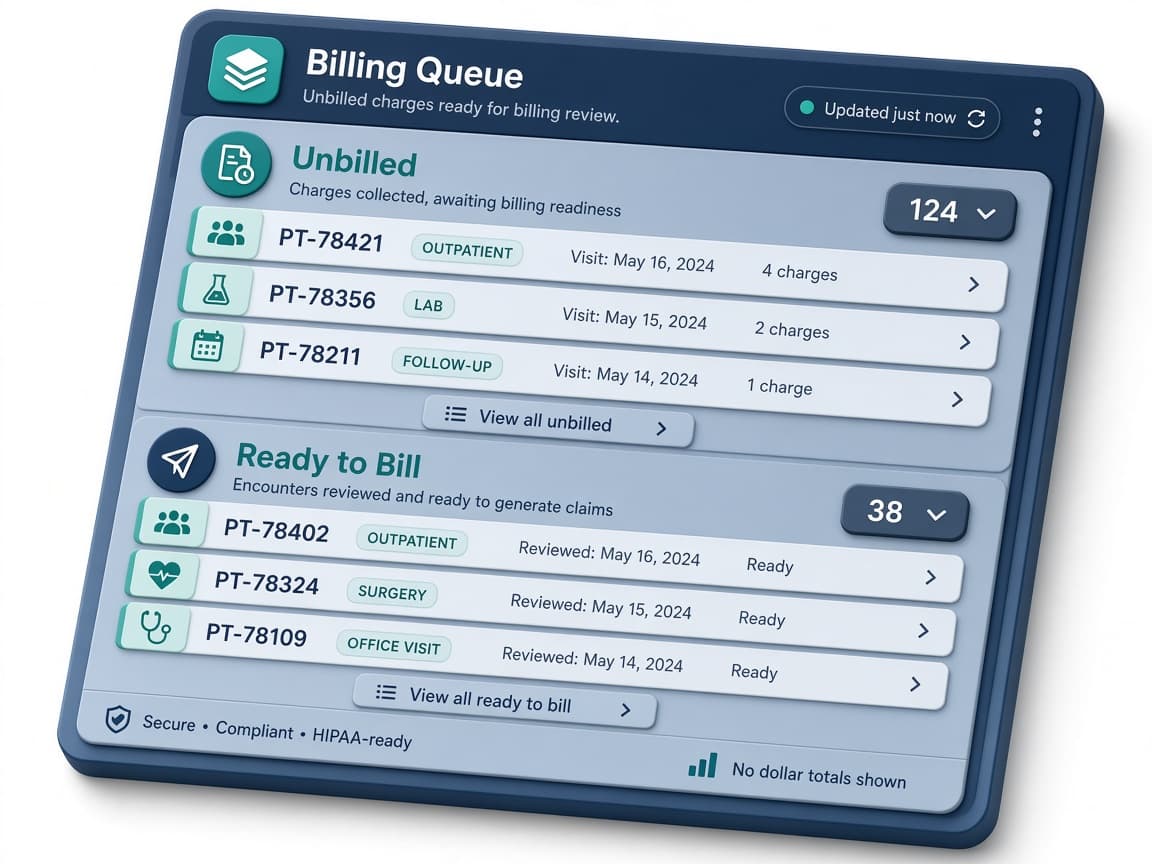
Billing queue
Unbilled to Ready to Bill, with rejection reasons kept for a clean resubmit.
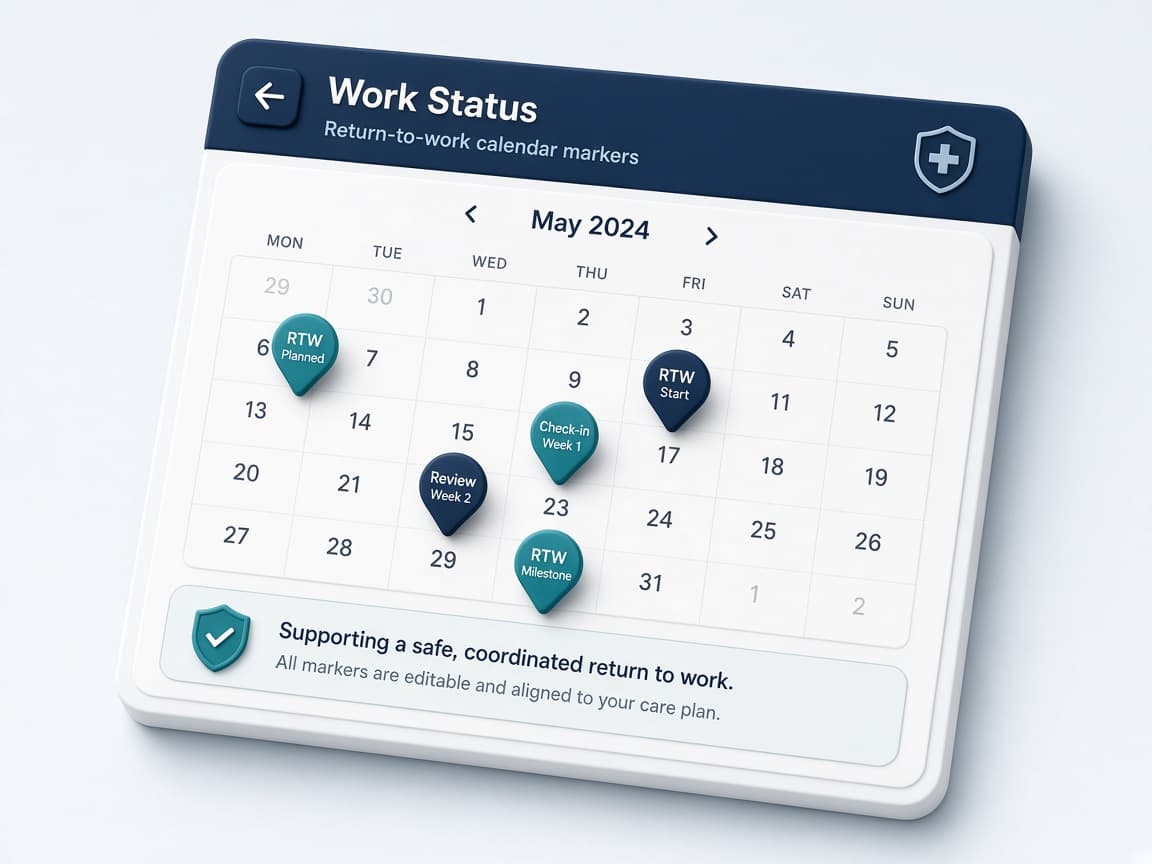
Work Status
Return-to-work and MMI dates on the same record as the rest of the case.
One workspace for nurses, firms, TPAs, carriers, and independents, not a different product for every job title.
You already know the clinical path. MediCase keeps the mail, documents, tasks, and return-to-work dates on the file so the day is spent managing the claim, not chasing paper.
Assignments, billing review, and program oversight need one place to look. See what is moving, what is stuck, and what still needs a person, without waiting for a rebuilt status report.
Same case file a firm uses for intake, documents, and billable time. Users, clients, and templates are still set up as admin work, without a separate “solo” product fantasy.
What MediCase is, who it is for, how AI is used, and what happens after Get Started.
MediCase is a case-management workspace for workers’ compensation and disability case management. It holds the case, tasks, documents, incoming email and fax, billable time, and return-to-work dates. AI is used to match incoming mail to a case and to summarize a document after it is filed.
Nurse case managers, independent case managers, and the firms, TPAs, and carrier teams that run a workers’ compensation or disability caseload.
MediCase is HIPAA compliant. BAAs are in place. MediCase is SOC 2 ready.
On incoming email and fax, MediCase suggests the matching case and can link a high-confidence match to that case and its nurse. Uncertain matches stay for a person. You can reject a wrong match. After a document is filed to the case, a case manager can generate a summary of that document. AI abilities can be adjusted by the organization’s admin. MediCase does not diagnose, decide claims, or give clinical advice. It does not suggest tasks or produce an AI analytics dashboard.
These pages expand the pain points, the product response, and the questions buyers ask next.
Case & Caseload Management
One case file for the people, tasks, documents, and communication.
AI & Automation
Mail match with a person in the loop. No diagnosis or claims decisions.
Workers’ Compensation
Audience, pain points, and positioning for WC teams.
Billing & Time Tracking
Unbilled, Ready to Bill, rejection reasons, and RTW dates.
Security
HIPAA compliant. SOC 2 ready. BAAs are in place.
FAQ
Straight answers on AI, signup, independents, and billing.
Choose a plan and start with the caseload you already run. Larger plans are reviewed before a workspace is created.